Modern lighting and shadows
CSP rebuilds how the game lights a scene, with sharper shadows, smoother ambient light and a far more believable sense of time of day.
Custom Shader Patch transforms how Assetto Corsa looks, and Content Manager is the standard way to install and manage it. This guide explains what CSP adds, the order to install everything, and how to set it up step by step.
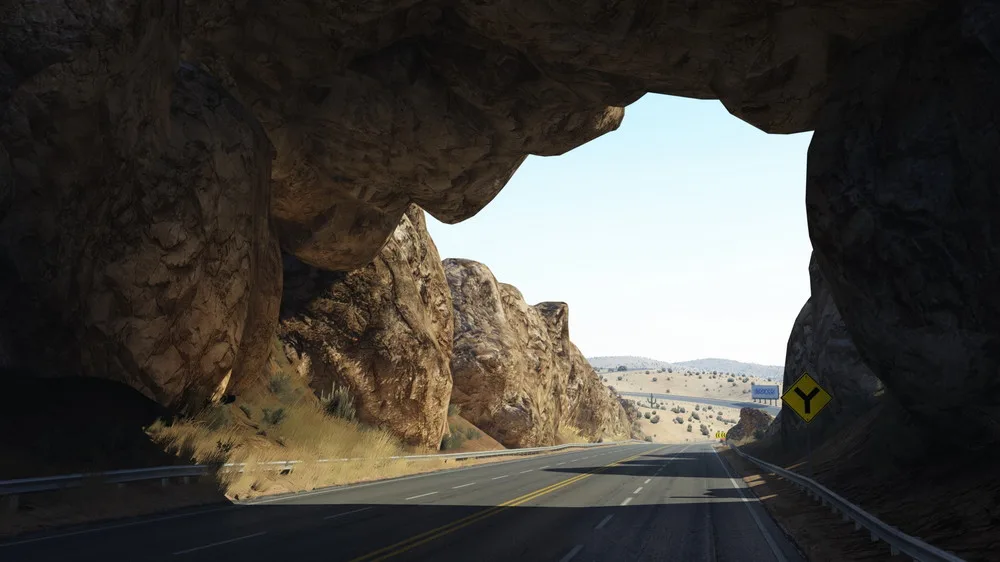
Custom Shader Patch, almost always shortened to CSP, is a free graphics modification for Assetto Corsa, the PC racing simulator by Kunos Simulazioni. It is the work of the developer ilja, also known as x4fab, and it reworks the simulator's ageing visual engine into something far closer to a modern title. If you have admired an Assetto Corsa screenshot with golden evening light, glistening wet asphalt or mirror-sharp reflections, you have almost certainly been looking at a car running CSP.
It is important to be clear from the outset: Custom Shader Patch and Content Manager are two different projects. Content Manager is the launcher you use to run and organise the game; CSP is the graphics layer that changes how the game is drawn. The two are designed to work hand in hand, and Content Manager is the accepted tool for putting the patch in place, but they remain separate pieces of software with their own development and their own release schedules. Confusing the two is common among newcomers, so it is worth fixing the distinction firmly in mind before going further. For the wider picture of the app itself, our complete Content Manager guide covers it in full.
CSP rebuilds how the game lights a scene, with sharper shadows, smoother ambient light and a far more believable sense of time of day.
The patch unlocks shifting skies, fog and working rain — wet road surfaces, spray and windscreen droplets that the base game never had.
Greatly improved reflections, better bloom, and extra visual effects make screenshots look closer to a modern title than a 2014 release.
Assetto Corsa is widely admired for how it drives, yet its standard graphics show their age. Custom Shader Patch closes that gap. Beyond the headline features above, it adds a long list of smaller refinements: working headlights and brake lights, smoke and dust, improved tyre marks, sharper anti-aliasing and far better handling of night driving. It also opens the door to extra cosmetic and gameplay extensions that the community has built around it. The result is a simulator that feels current without losing any of the precise physics it is celebrated for. None of this replaces Content Manager's job — the patch changes how a scene is rendered, while Content Manager remains the tool you use to launch races, browse content and keep your mods in order.
Custom Shader Patch can, in theory, be added by hand, but almost nobody does so any more. Content Manager is the recommended route, and for good reason. The launcher carries a dedicated Custom Shader Patch section that downloads the correct build, copies every file into the right place, and keeps the patch tidy.
The real advantage shows itself over time. The patch is updated often, and new builds appear regularly. Through Content Manager, moving between versions is a single choice in a menu: it is the launcher that swaps the files, so you can step up to a newer build or fall back to a known-good one without touching your game folder. Switching cleanly between CSP versions in this way is something a manual install makes awkward and error-prone.
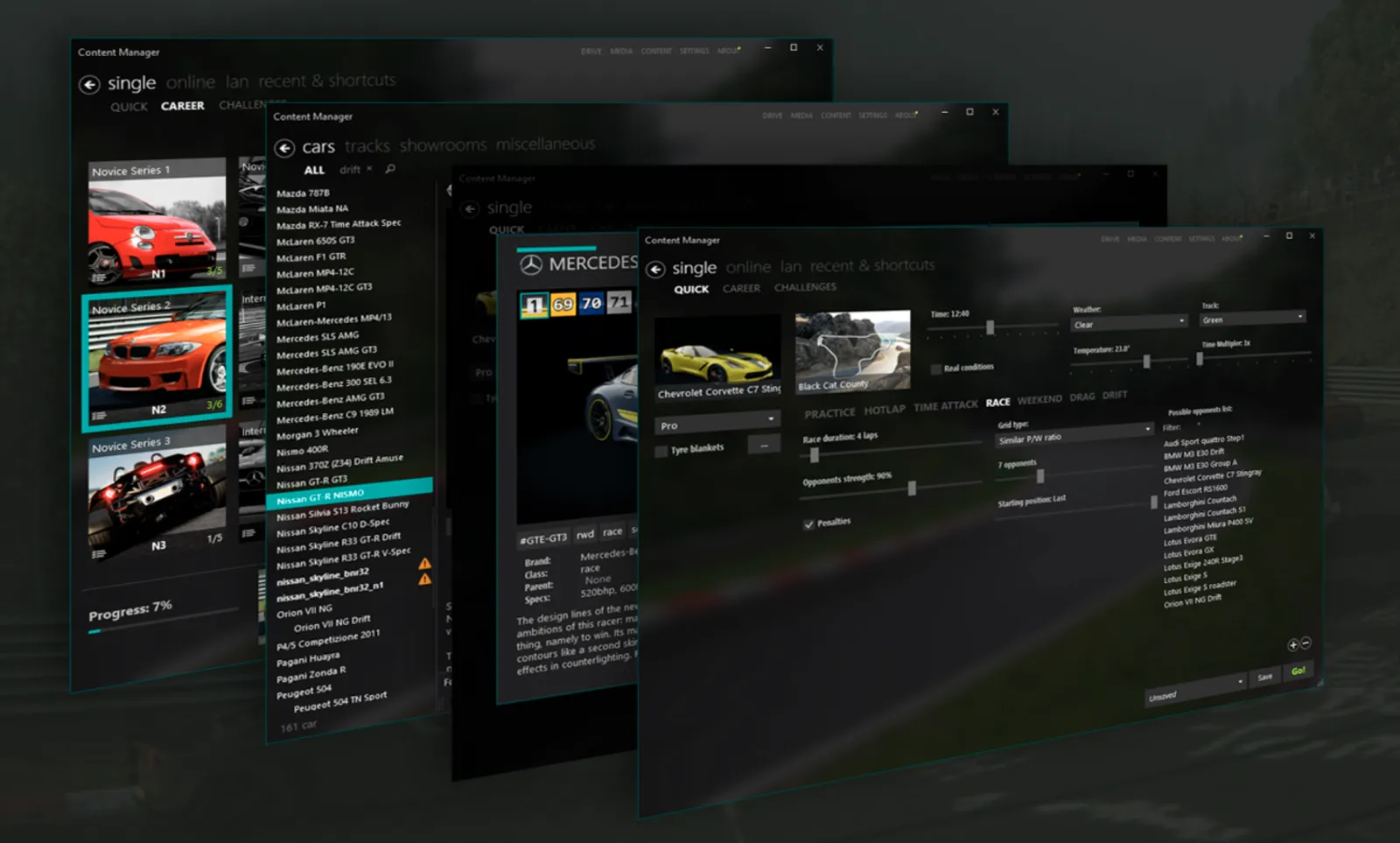
Open Settings within Content Manager and you will find the Custom Shader Patch entry. This single screen is the home for everything CSP-related. From here you choose which build is installed, read what each version offers, and reach the patch's own extensive settings — the controls for shadows, reflections, lighting and far more. Because it is built into the app, there is no separate program to keep track of and no loose configuration files to manage yourself.
One CSP build may suit a particular car or track better than another, and preview builds sometimes behave differently from stable ones. Content Manager makes experimenting safe. Select a different version and it is swapped for you; choose the disabled option and the patch is turned off entirely, returning Assetto Corsa to its original graphics with nothing left behind. If a build ever misbehaves, our troubleshooting guide walks through the usual fixes.
A graphically transformed Assetto Corsa is built in three layers, and they must go on in the correct sequence. Each layer depends on the one before it, so installing them out of order is the most common reason a setup does not work as expected.
| Step | What it is |
|---|---|
| 1. Content Manager | The launcher itself — installed straight from the official source. It is the tool that manages everything that follows. |
| 2. Custom Shader Patch | Installed through Content Manager, from its Custom Shader Patch section. The graphics engine that weather mods depend on. |
| 3. A weather mod | Sol or Pure, added last. Each one requires CSP to be present, so it can only go on once the patch is in place. |
In short: install Content Manager first, then Custom Shader Patch through the app, then a weather mod such as Sol or Pure last of all. Weather mods extend what CSP can do, so the patch has to be present before one will function. Follow the sequence and the whole setup falls into place without trouble.
With the launcher already in place, adding CSP takes only a few minutes. Work through the steps below in order.
Custom Shader Patch is installed through the launcher, so the app must be in place before anything else. If you have not set it up yet, follow our download guide, then return here.
Inside Content Manager, open Settings and select the Custom Shader Patch entry. This dedicated section is where every CSP build is downloaded, switched and configured. If the section is absent, update the launcher to a current version first.
The launcher lists the available builds and marks the recommended one. Newcomers should pick the latest stable release rather than a preview build, as stable versions are the most reliable across the widest range of cars and tracks.
Select the build and confirm the install. The app downloads the patch and copies the files into your Assetto Corsa folder for you — there is no manual unzipping and no files to move by hand.
Close and reopen the game through the launcher so the patch loads. Start any track: brighter, more natural lighting confirms that Custom Shader Patch is active and working.
For the full visual upgrade, install a weather and lighting mod such as Sol or Pure on top of CSP. These build on the patch and are the final layer in the recommended setup.
Once Custom Shader Patch is installed, most players add a weather and lighting mod on top. The two best known are Sol and Pure, and either one builds directly on CSP to take control of skies, time of day and conditions.
Sol was the long-standing favourite and remains a dependable choice, offering rich skies, a day-and-night cycle and a broad spread of weather. Pure is the newer option, prized for natural colour and a more photographic look, with a tone-mapping system that many drivers feel reads more like a real camera. Both depend on CSP being present first, which is precisely why the patch sits in the middle of the recommended order. You do not need both — choose one, install it after CSP, and configure it through Content Manager alongside the patch's own settings.
With all three layers in place — the app, the patch and a weather mod — Assetto Corsa looks a generation newer than it does out of the box, while Content Manager keeps every part of the setup organised in one window. To learn more about the simulator itself, the Assetto Corsa entry on Wikipedia gives a useful overview of its history and reception.
No. They are two separate projects. Content Manager is the launcher you use to run and organise Assetto Corsa, while Custom Shader Patch is a graphics modification that improves how the game looks. The launcher is simply the standard tool for installing and managing the patch.
In practice, yes. The launcher is the standard, recommended way to install CSP, because it downloads the correct build and places every file for you. It also lets you switch versions cleanly later, which is far harder to do by hand.
For most players, the latest stable build is the right choice, and the app marks the recommended one. Preview builds add the newest features but can be less reliable. The launcher makes switching simple, so you can start on a stable release and try a newer build later.
Custom Shader Patch is the underlying graphics engine. Sol and Pure are weather and lighting mods that build on top of it, controlling skies, time of day and conditions. You install CSP first, then add Sol or Pure afterwards for the complete visual upgrade.
Open the Custom Shader Patch section inside the app, pick a different build, and the launcher swaps it for you. Selecting the disabled or none option turns the patch off and returns the game to its original graphics, with nothing left behind.
CSP is more demanding than the base game, since it adds modern lighting and effects. Most PCs that already run Assetto Corsa comfortably will cope, and its settings let you scale features such as shadows and reflections to suit your hardware.
Custom Shader Patch is installed through the launcher, so the app comes first. Get Content Manager set up, then return to add CSP and a weather mod. CM Hub never hosts or mirrors any software — downloads go via the official source.
Get Content Manager